
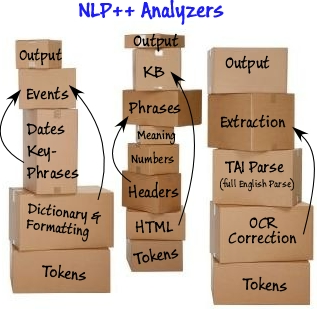
An NLP++ text analyzer is a set of plain text files — rules, passes and a knowledge base — that reads text and produces structure you can act on. Analyzers are 100% readable code, so you can open one up, see exactly why it made a decision, and change it.
Getting analyzers
Sample analyzers ship with the NLP++ Language Extension for VS Code and install straight from it, so the fastest way to get a working analyzer is to install the extension and pick one. The sources are all open at github.com/VisualText.
Running them
Analyzers run from the VS Code extension, from the command line, from Node.js via npm, or compiled to a native executable. Every Way to Run an NLP++ Analyzer walks through each option, and Everything New in Version 3 covers what the current extension does.
Learning to write your own
The textbook Rule-Based NLP with NLP++ is the fullest introduction. There are also video tutorials and the FAQs.
The original Windows-era sample analyzers (TAIParse, the Corporate Demo Analyzer and the Resume Analyzer) are retired and kept in the archive.
